How to Work with Reviews
This tool quickly and accurately checks student papers for proper formatting and reference list compliance with academic standards. It supports all major citation styles, including APA, Chicago, Harvard, and MLA. In just a few steps, you’ll receive a complete report analyzing all references and errors.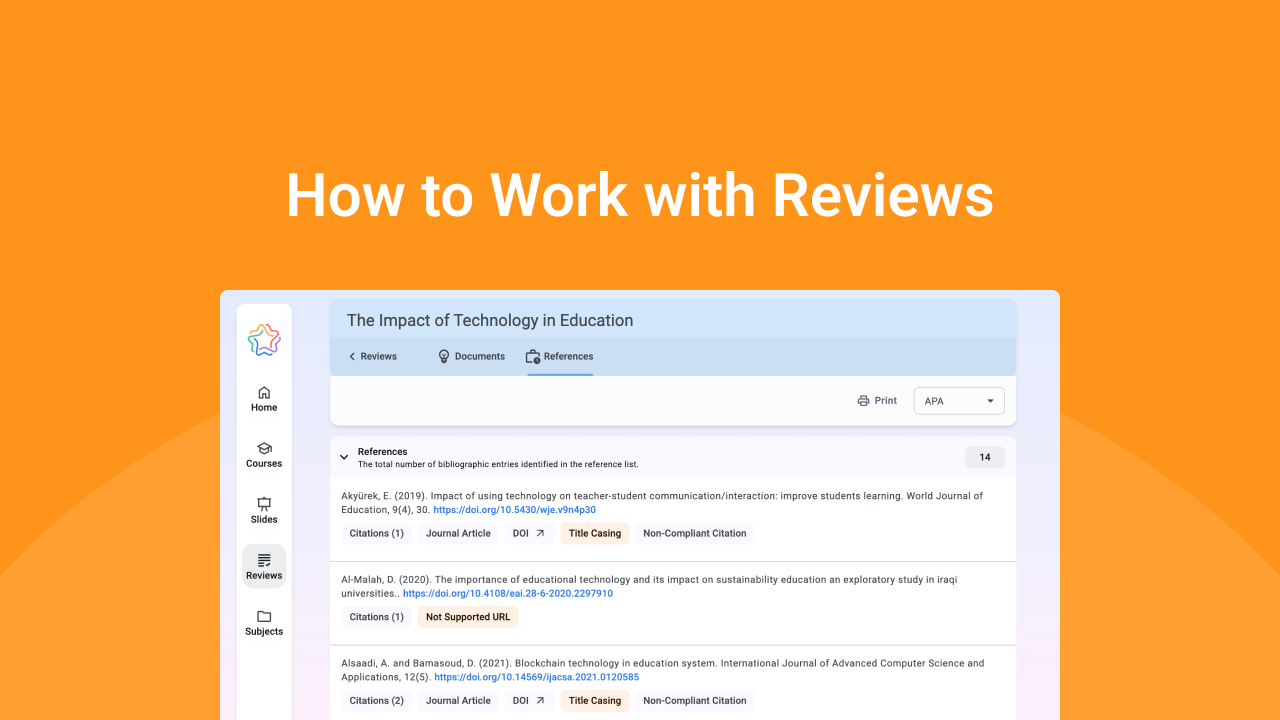
How It Works
On the Home page, you can upload a student's paper by clicking Add Review in the Reviews card. Alternatively, you can go directly to the Reviews page and click Add Review. Both options open the same modal window where you can upload the paper, select the citation style used, and start the checks.
Upload student papers
To upload a student's paper, open the Reviews page and click Add Review. A modal window will open:
- Drag and drop or upload the student’s paper
- Select the citation style (APA, Chicago, Harvard or MLA) used by the student in the paper, then click Submit
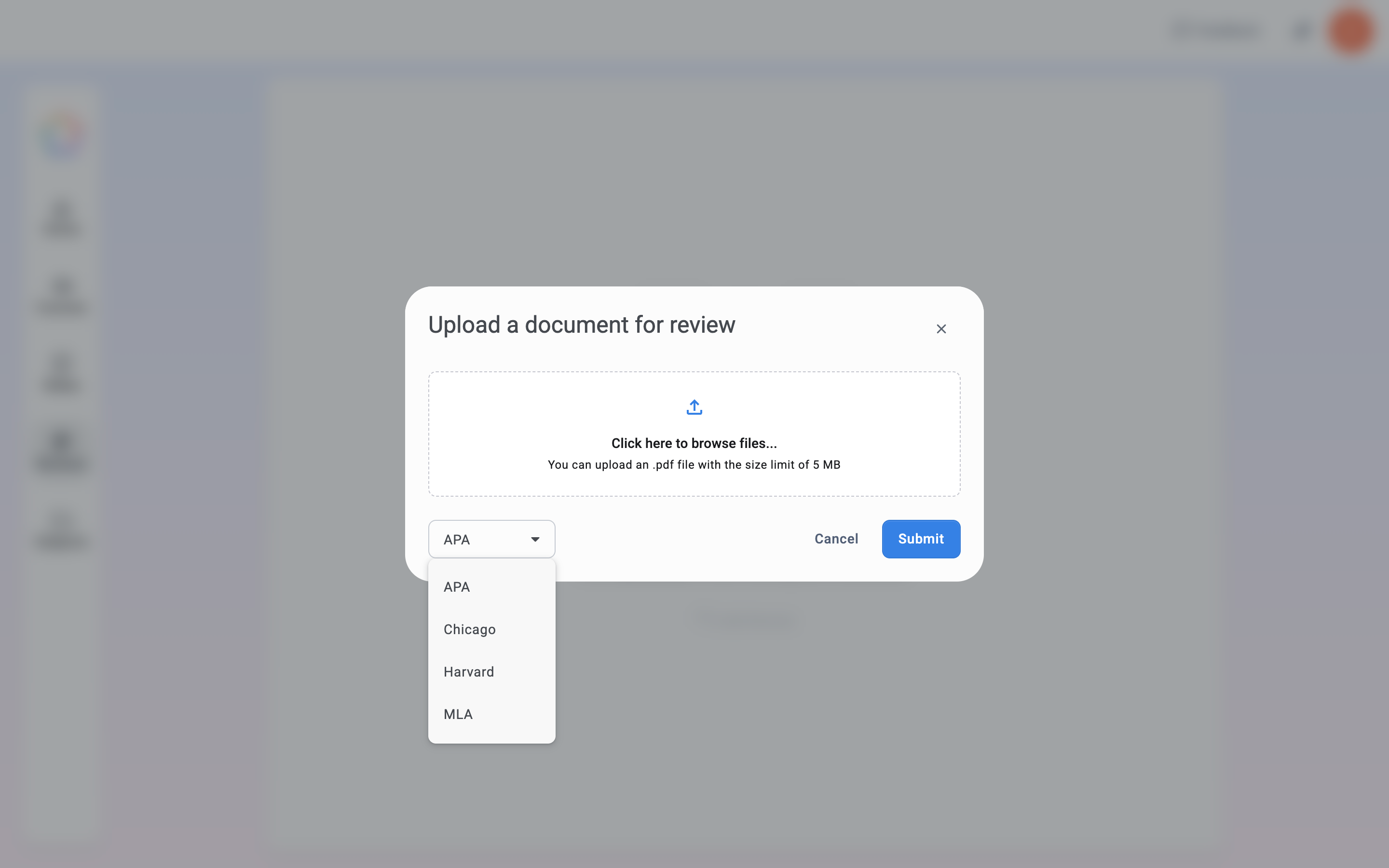
❗ File Requirements: The paper must be in .pdf format and no larger than 5 mb. Our tool supports the major academic citation styles: APA, Chicago, Harvard, and MLA.
References Summary
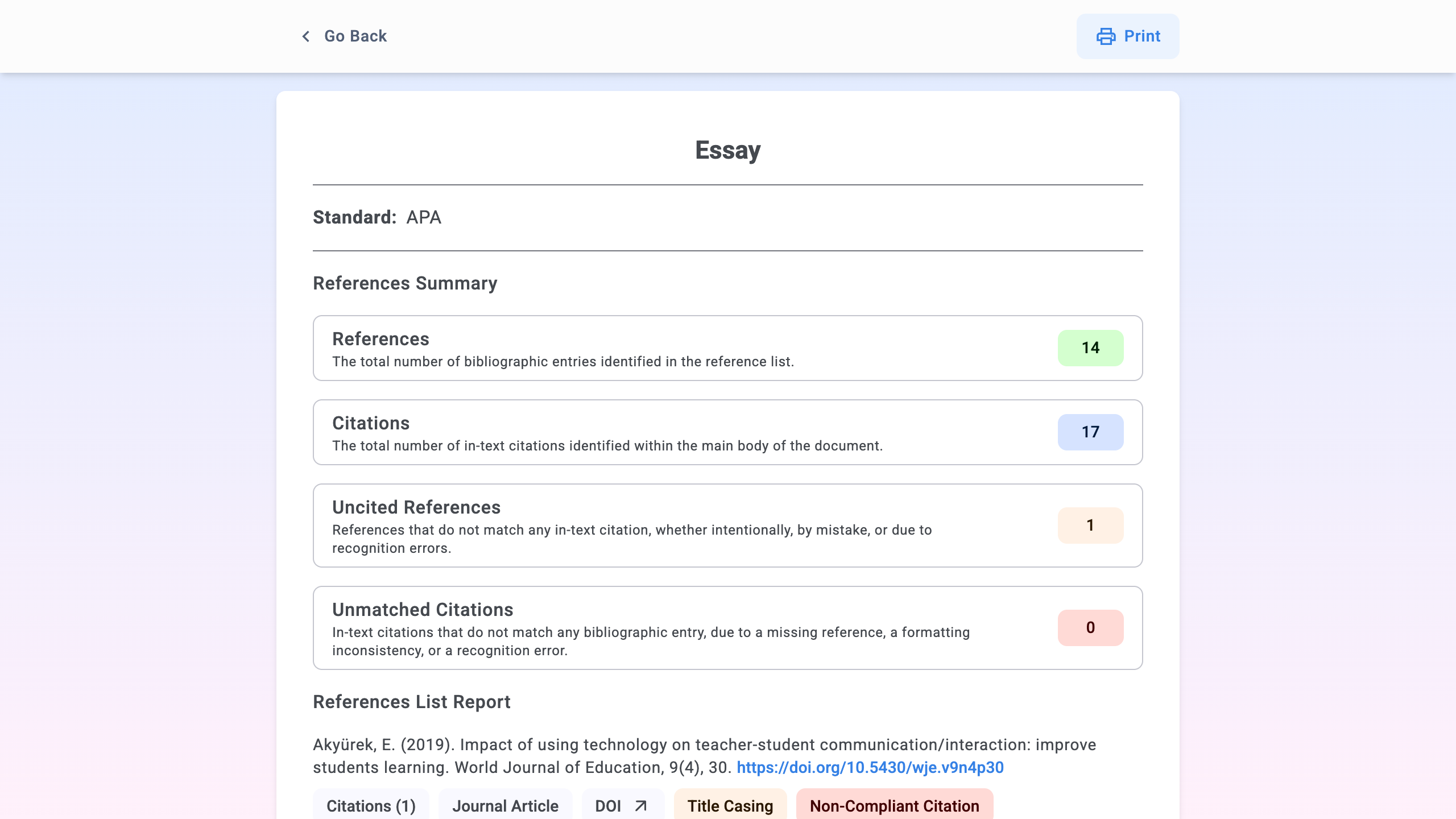
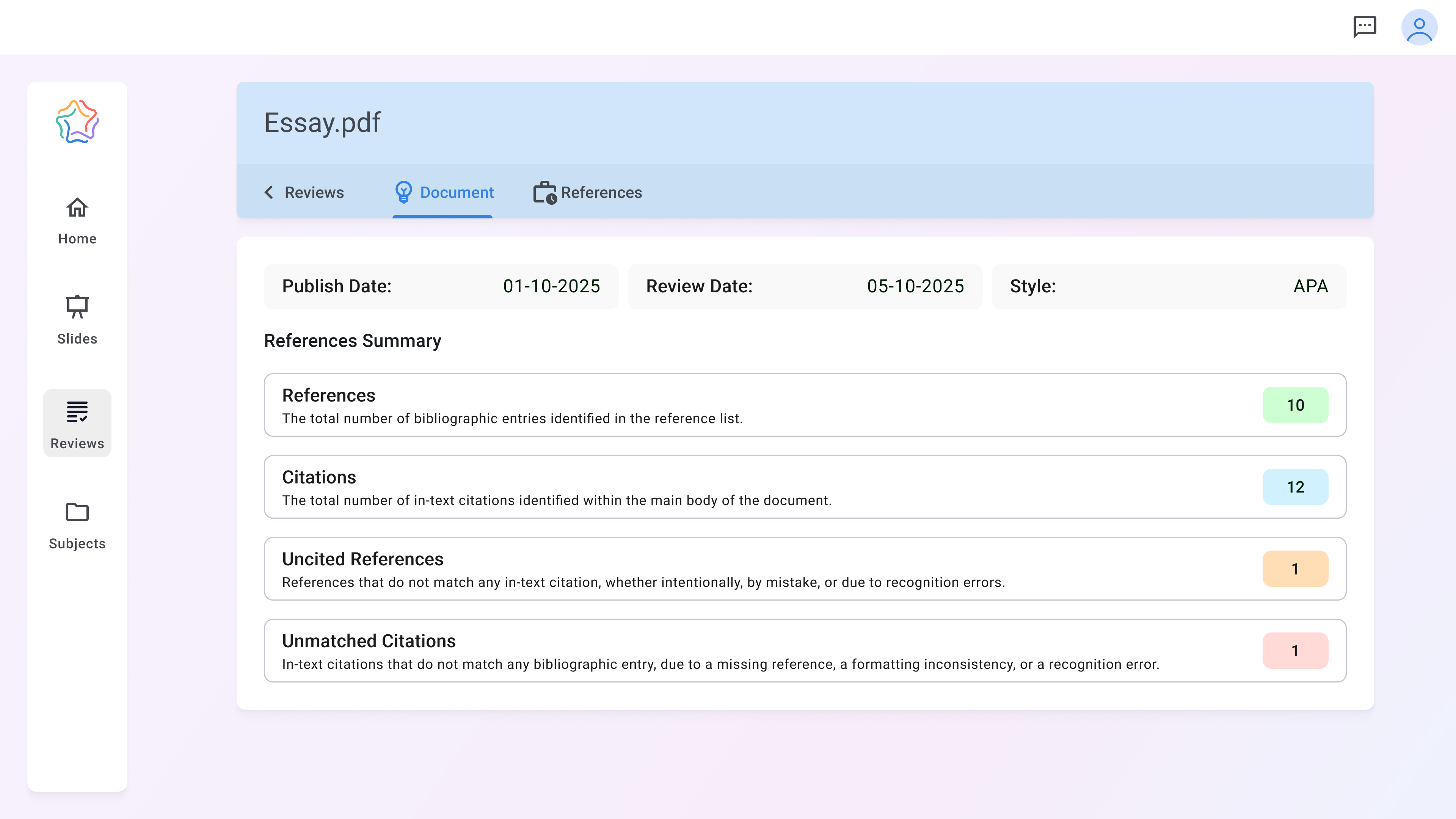
Once the paper has been reviewed, you will be directed to the Document Page, where you can view the References Summary for the student’s work. The following information is displayed:
- References: the total number of bibliographic entries identified in the reference list.
- Citations: the total number of in-text citations identified within the main body of the document.
- Uncited references: references that do not match any in-text citation, whether intentionally, by mistake, or due to recognition errors.
- Unmatched citations: in-text citations that do not match any bibliographic entry, due to a missing reference, a formatting inconsistency, or a recognition error.
References Report
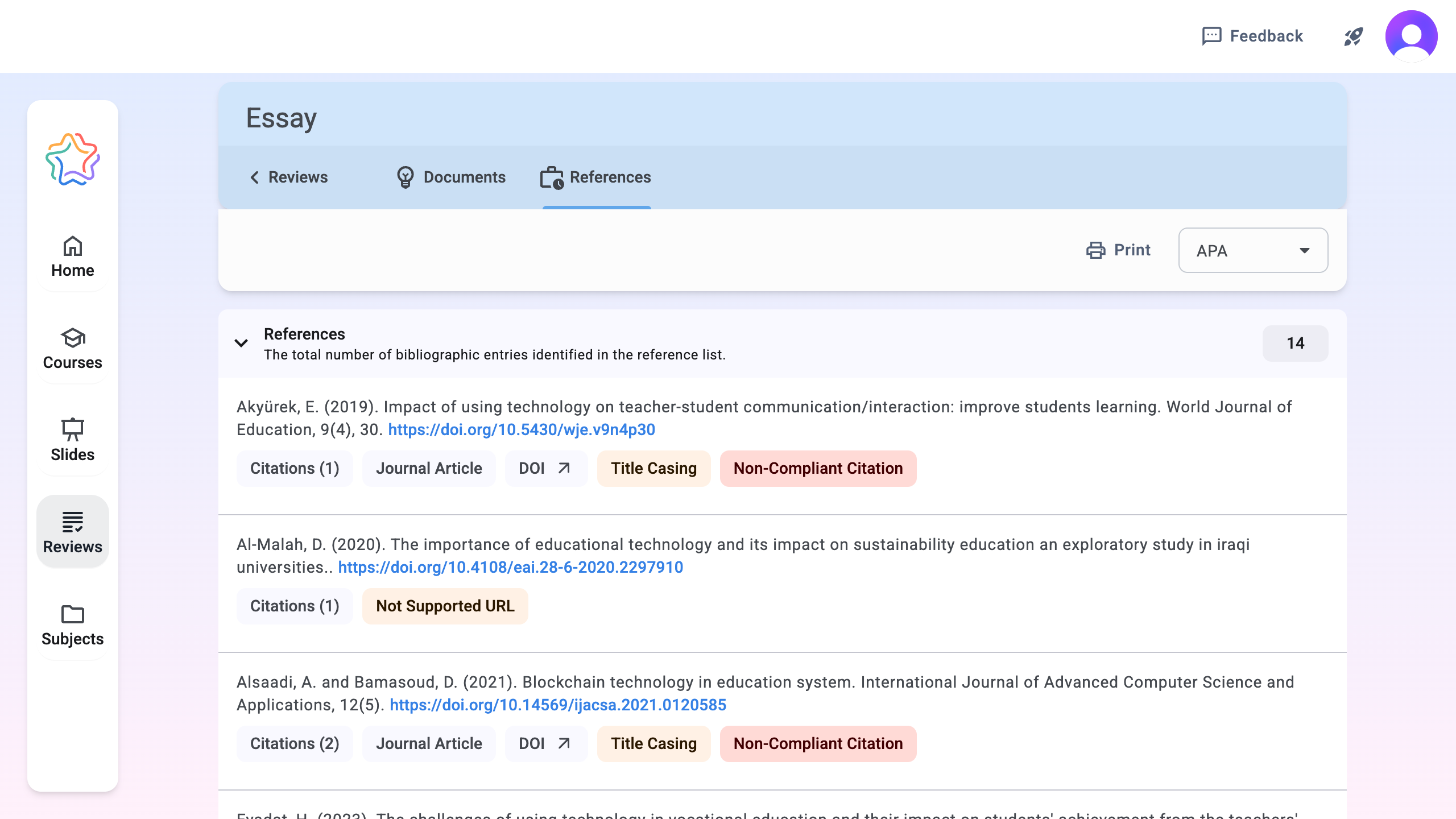
After reviewing the summary of references, we recommend moving on to the References page. There, you will find a detailed report for each reference. The system has:
- Checked for correct citation formatting according to the selected style
- Checked whether the source is valid and accessible.
- Identified errors and inconsistencies
- Highlighted each issue with a color code: yellow for minor errors and red for major ones.
❗ Notes: To make it easier to correct errors, you can click on an error to see what needs to be fixed.
Print or export report
Click the Print button to print or save the report as a PDF. You can then share the PDF with the student or include it in documentation.